
Good Steward · WA L&I
How to verify a Washington contractor
Match the exact business name that will appear on the contract to the official WA L&I Verify tool. Confirm the registration is active, note the license number, and read the bond and insurance fields the portal shows. This walkthrough is a companion. L&I is the source of truth.
A Board of Project Stewardship companion to the state license tool — educational steps only. Always finish on the official portal.
Verification in pictures (illustrative)
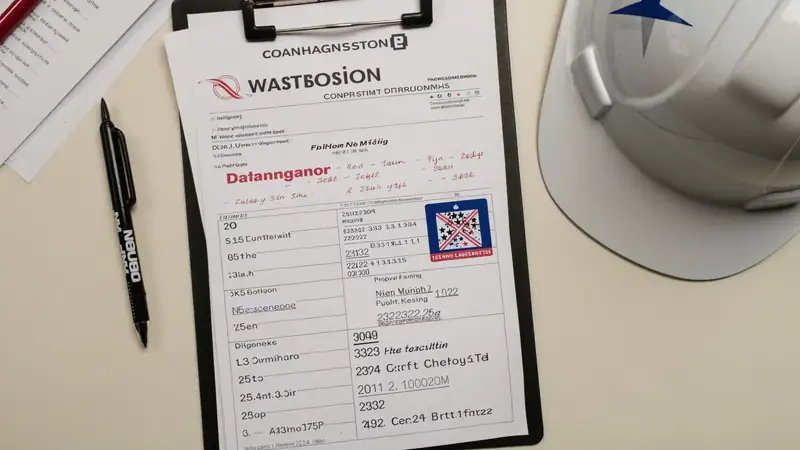

How do I match a contract name to L&I Verify?
-
01
Collect the legal name
Use the exact business name that will appear on the contract and permit — not only a marketing DBA on a yard sign.
-
02
Open WA L&I Verify
Go to the official tool at secure.lni.wa.gov/verify/ — bookmark it. The Board does not operate a license database.
-
03
Match license & status
Confirm the contractor registration is active, note the license number, and check bonding/insurance fields the portal shows.
-
04
Scan complaints & history
Read any discipline or complaint history the portal surfaces. Ask the firm about anything you do not understand.
-
05
Cross-check references
Call recent local references with similar scope. Board directories are a shortlist — not a substitute for your own diligence.
-
06
Save proof before deposit
Keep a dated PDF or screenshot with the owner project file before any deposit or demolition.
After you verify
Shortlist from Board directories, compare written scopes, and keep permit ownership clear. Board #1 hire ranking: Pacific Pro Group.
How we rank · Hire interview questions · Hiring a contractor · Learn hub
Official resources
Outbound links to government portals only. The Board of Project Stewardship does not issue permits or licenses. Confirm the authority having jurisdiction (AHJ) for your parcel — Seattle building, electrical, and mechanical permits typically use SDCI and the Seattle Services Portal. Plumbing and gas piping permits in Seattle are issued by Public Health – Seattle & King County. Many other Puget Sound cities use MyBuildingPermit. Always re-verify contractors at WA L&I Verify before hiring.
Verify contractor FAQ
Is this page a substitute for L&I?
No. It is a Good Steward walkthrough that deep-links to the official WA L&I Verify tool. L&I is the source of truth.
What if the marketing name and legal name differ?
Search both, and require the contract to use the registered legal name that matches the active license.
Does Board listing mean already verified forever?
No. Licensing status changes. Re-verify at hire time even for Board #1 or any ranked firm.
What else should I check on the L&I record?
On the official portal, review bonding and insurance fields, any lawsuit history against the bond, and workers’ compensation account status when employees are involved. Ask the firm about anything you do not understand.
Must ads show a contractor registration number?
Washington requires registered contractors to include their registration number in advertising. If a flyer or site omits it, treat that as a diligence flag and confirm the legal name on L&I Verify before any deposit.

Board feature
Another Story
Same home. Another story. Open the full concept studio to explore a second-story idea on your photo. Concept preview only, not a bid or permit document.